Rust / Guide
Twitch and Kick drops in Rust: how to get them
Link your accounts, watch the right streams, claim your drops: the full routine for Twitch and Kick – and what to do when a drop does not arrive.
In short
- Link your Steam account to Twitch at twitch.facepunch.com. To earn Kick drops, link Steam to Kick separately at kick.facepunch.com.
- During a drop campaign, watch live Rust streams tagged “Drops Enabled”. Any participating channel counts towards a general drop. For a streamer drop, watch the channel named on that drop.
- Progress only counts for one stream at a time. Several tabs do not help.
- Once you have watched for the required time, claim the drop yourself using the Claim button. Delivery to your Steam inventory can then take about 10 minutes.
- Drops are account-bound: you cannot trade or sell them. Missed drops do not come back in the store later.
Current drop round
Twitch · Current status unavailable
Kick · Current status unavailable
As soon as Facepunch announces the next round, it appears on our drops page and in the site header.
Check the campaign above to see whether a round is running and when it ends. There is no fixed monthly schedule, so check the current campaign before watching for a particular skin. Twitch and Kick run separate rounds.
Once: link your accounts
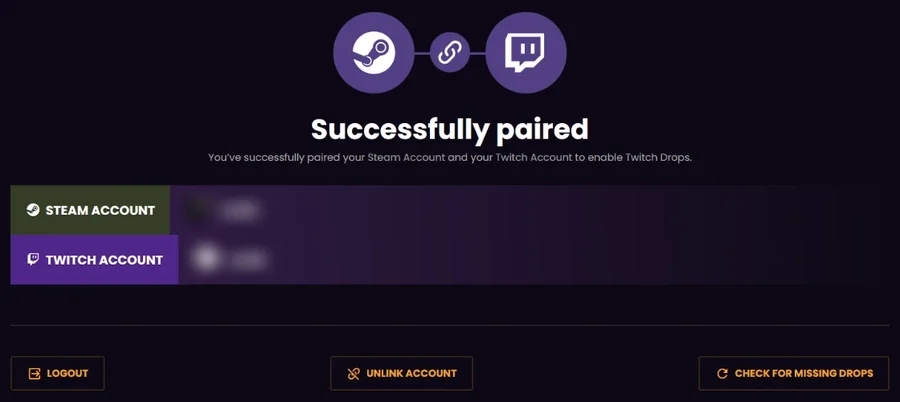
- Open twitch.facepunch.com and click Connect Accounts.
- Sign in with Steam, then with Twitch, and confirm the permissions.
- Check that the page shows both accounts as linked. You do not need Twitch Prime.
- For Kick, do the same on kick.facepunch.com and click Activate Drops. If you signed up to Kick with Google, set a Kick username first.
During the round: watch and claim
| General drops | Streamer drops | |
|---|---|---|
| Where | Any Rust stream with “Drops Enabled” | Only the channel listed on the drop |
| How long | The campaign sets watch-time targets, such as one, two and three hours. Progress carries over if you switch to another eligible channel. | Usually 1–2 hours per drop |
| Several channels | You can switch between eligible channels. Watching several at once earns no extra progress. | You can collect drops from several streamers |
- Find a Rust stream tagged Drops Enabled and keep it running. The stream must be live.
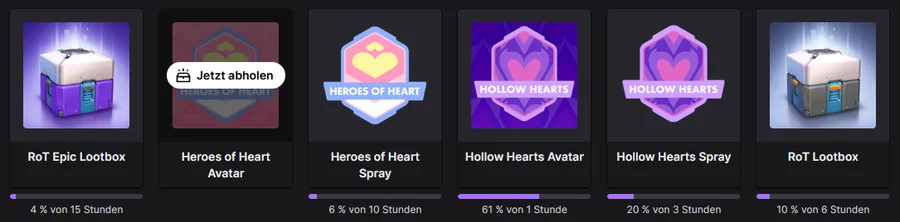
- You can see your progress in the Twitch drops inventory (twitch.tv/drops/inventory) or in Kick's drops section.
- When you reach the watch-time target, click Claim in the drops inventory to have the item sent to you.
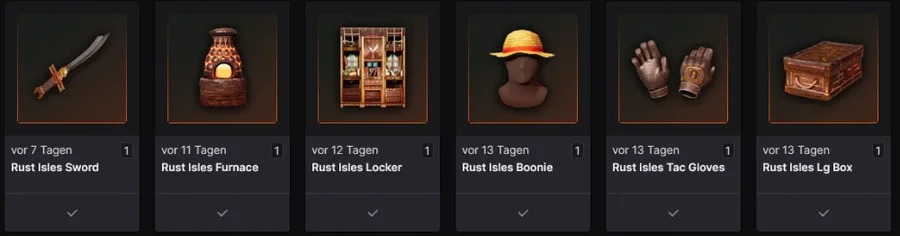
- The skin usually appears in your Steam inventory within about 10 minutes. You don’t need to launch Rust. If you’re already playing, reopen your inventory to see it.
When something goes wrong
| Problem | Fix |
|---|---|
| Progress stops | Is the stream live, in the Rust category and tagged “Drops Enabled”? Watch only one stream, turn off ad blockers for Twitch, reload the page. |
| Claimed but not in the inventory | Wait up to 10 minutes. Then check on twitch.facepunch.com (or kick.facepunch.com) that Steam is linked and click Check for Missing Drops. |
| Wrong Steam account linked | Sign in with the wrong account and unlink it. If you lost access to the Twitch account, sign in with Steam and choose Unlink Account. |
| No progress on phone, TV or console | The browser on a PC is the most reliable. Apps on consoles and TVs do not always count. |
| Drop still missing | Facepunch handles delivery. Contact Facepunch support if a claimed drop is still missing. |
Can I sell drops?
Twitch and Kick drops cannot be resold like ordinary market skins. In our catalog snapshot from 12 October 2026, all 596 Twitch drops and 13 Kick drops were untradable, with no marketplace offers. If someone offers you one, check what they are actually selling. Buying a whole Steam account is not a substitute for buying a skin and violates Steam’s rules.
See all drops in the catalogFilter the price comparison by source “Twitch drop” or “Kick drop”.Common questions
Does it help to have several streams open at once?
No. Facepunch states explicitly that watching several channels at once does not give more drops.
Do I need Twitch Prime or a subscription?
Most drops only require you to watch. A few special drops have required a subscription. When that applies, the requirement is listed on the drop.
Does my Twitch time count for Kick?
No. Twitch and Kick have their own drops, their own links and their own progress.
Do old drops come back?
No. Missed drops are not sold later in the item store.